
Introduction
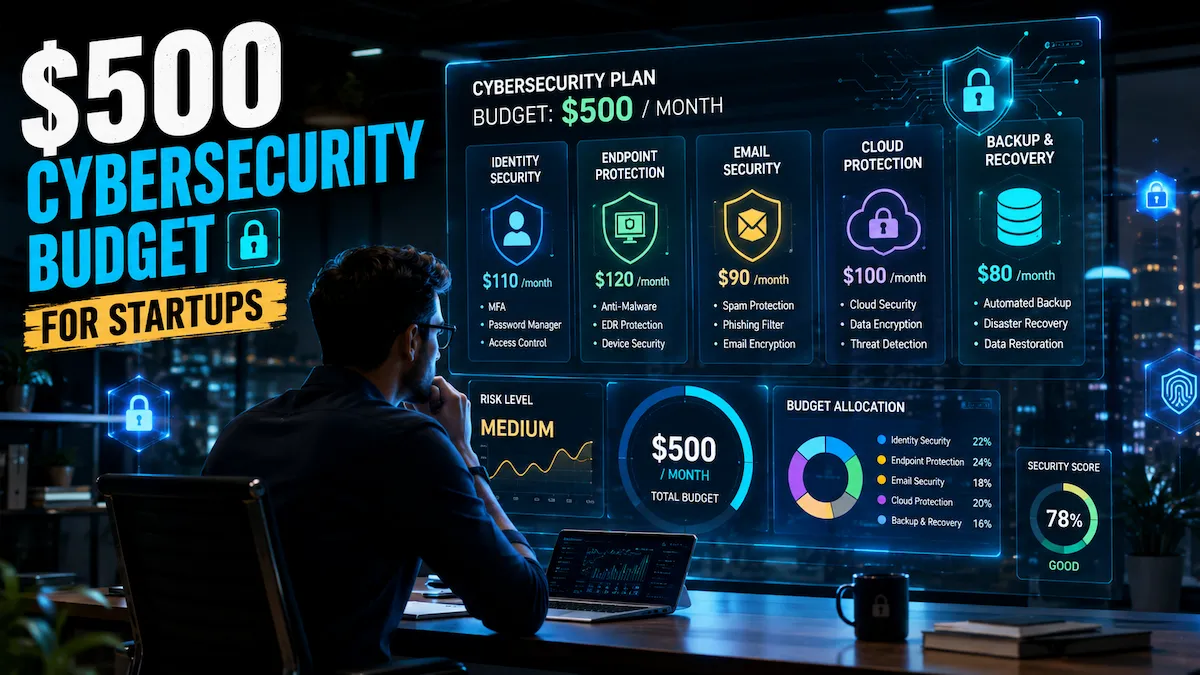
A startup cybersecurity budget of 500 per month is enough to build meaningful protection against the most common startup security risks without creating unnecessary operational overhead. With the right allocation strategy, startups can secure authentication, endpoints, backups, monitoring, and recovery while staying cost-efficient.
Many early-stage startups delay cybersecurity investment until growth creates operational pressure. That delay is exactly what attackers count on.
A startup cybersecurity budget under $500/month is enough to address your highest-probability attack vectors, establish a baseline compliance foundation, and signal operational maturity to investors. According to the Verizon Data Breach Investigations Report, small businesses represent a disproportionate share of confirmed breach victims annually — and the majority involve credential compromise, phishing, or cloud misconfiguration. All three are manageable on a startup-scale budget.
The challenge is not money. It is knowing where to spend first and what to defer without creating meaningful exposure.
Quick answer: Can a startup secure itself for under $500/month? Yes—if spending prioritizes identity, email, endpoint protection, and data recovery before advanced monitoring tools.
Why Startups Are Easy Targets for Cyber Attacks
A startup cybersecurity budget of 500 per month allows early-stage companies to prioritize high-impact security controls before threats become expensive incidents.
Attackers do not go after the most secure organizations. They go after the most accessible ones.
Startups consistently appear in breach data because they combine three high-risk conditions: fast technical decisions, limited IT oversight, and access to data—customer PII, payment credentials, and proprietary IP—that makes them worth targeting.
The most common startup vulnerabilities:
Shared credentials. When co-founders use the same admin login for convenience, one phishing email can expose your entire environment. This is among the most common initial access patterns in startup-stage incidents.
Unmanaged endpoints. Early employees use personal laptops and home networks. Without endpoint visibility, there is no practical way to detect malware or data exfiltration running on those devices.
Cloud misconfiguration. Startups move fast on AWS, GCP, or Azure. Default-open S3 buckets and overly permissive IAM roles are among the most frequently cited causes of startup data exposure. The CISA Small Business Cybersecurity resources specifically flag misconfigured cloud services as a top risk for lean technical teams.
No incident response plan. When something goes wrong, the team improvises. That improvisation compounds both recovery time and financial damage.
Phishing exposure. Early-stage teams rely heavily on email. Without filtering beyond a default spam folder, a single convincing phishing message can trigger credential theft or wire fraud. If you are managing security without dedicated IT support, our guide on cybersecurity for startups with no IT team covers team-specific mitigation tactics in detail.
The Startup Security Allocation Framework (SSAF)
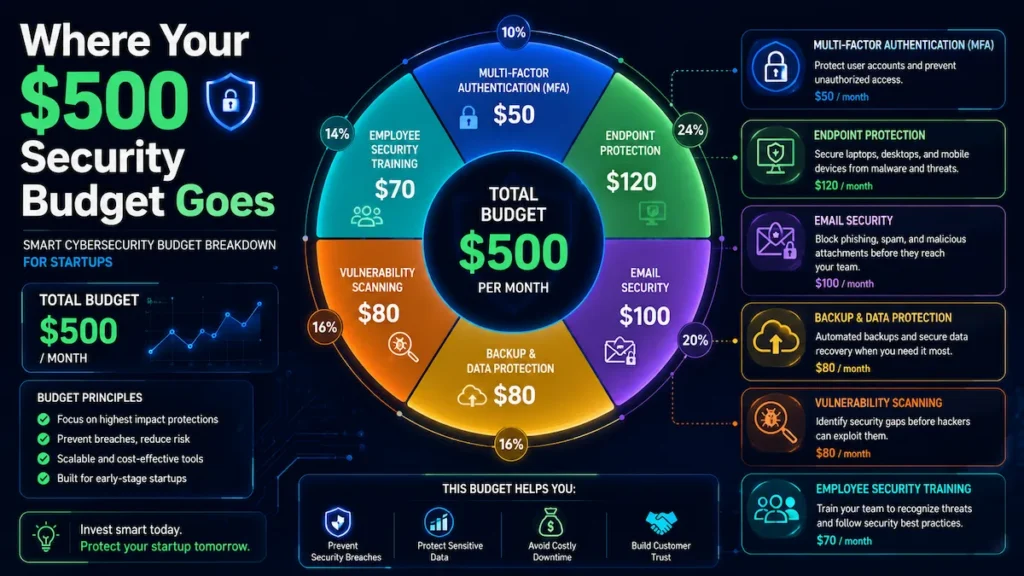
A startup cybersecurity budget of 500 per month works best when spending follows a structured prevention, containment, and recovery model.
Before breaking down costs, it helps to have a clear mental model for how spending is structured.
The Startup Security Allocation Framework (SSAF) organizes your cybersecurity budget across three tiers, each serving a distinct security function:
| Security Tier | Primary Goal | Key Controls | Outcome |
|---|---|---|---|
| Tier 1 — Prevent | Stop attackers from gaining access | Multi-Factor Authentication (MFA), Business Password Manager, Email Filtering & Anti-Phishing Protection, DNS Filtering | Reduces the likelihood of successful attacks |
| Tier 2 — Contain | Limit damage if a threat bypasses defenses | Endpoint Detection & Response (EDR), Access Control & Least Privilege, Security Monitoring & Log Retention | Prevents lateral movement and minimizes impact |
| Tier 3 — Recover | Restore business operations quickly after an incident | Automated Offsite Backups, Incident Response Plan, Cyber Insurance | Improves resilience and business continuity |
Security Budget Priority Flow
Tier 1: Prevent
- MFA (Authenticator-Based)
- Business Password Manager
- Email Security & Anti-Phishing
- DNS Filtering
⬇️
Tier 2: Contain
- Endpoint Detection & Response (EDR)
- Access Control & Least Privilege
- Security Monitoring & Log Retention
⬇️
Tier 3: Recover
- Automated Offsite Backups
- Incident Response Plan
- Cyber Insurance
Core Principle
Prevent → Contain → Recover
Most startups should allocate their cybersecurity budget in that order. Every dollar invested in prevention typically reduces the likelihood of paying significantly higher costs for containment and recovery later.
Most startup security spending mistakes are a sequencing problem. Founders jump to Tier 2 or Tier 3 tooling before the Tier 1 fundamentals are in place. A team spending $300/month on a SIEM while running no email filtering is solving the wrong layer first.
Use this framework as your decision anchor when evaluating tools, cutting costs during lean months, or justifying spend to a board.
How a $500/Month Security Model Actually Works
A startup cybersecurity budget of 500 per month should prioritize identity, endpoints, email, and recovery before advanced monitoring.
A $500/month model is not about accumulating tools. It is about covering four foundational layers that account for the majority of a startup’s attack surface.
Identity & Access Security Layer
A startup cybersecurity budget of 500 per month should begin with MFA and password protection because identity attacks remain the highest-probability threat.
The risk: Compromised credentials are among the most common entry points in cloud breaches. Without a secondary control, a valid username and password gives an attacker unrestricted access.
The solution: MFA enforced across all systems, combined with a business-grade password manager that enforces unique credentials per account.
The mistake: Enforcing MFA on one or two tools—usually Google Workspace or GitHub—while leaving AWS console access, Stripe, and third-party SaaS platforms unprotected. Partial MFA coverage still leaves meaningful gaps.
Budget: Password managers for small teams typically run $3–6/user/month. For five users: $15–30. Authenticator-based MFA adds $0.
Endpoint Security Layer
A startup cybersecurity budget of 500 per month becomes stronger when every employee device has basic visibility and protection.
The risk: Unmanaged devices are effectively invisible. Malware and credential stealers can persist on a personal laptop for months without detection.
The solution: A lightweight endpoint detection and response (EDR) tool deployed across all company and BYOD devices.
The mistake: Assuming macOS provides inherent protection. macOS devices remain susceptible to browser-based attacks, credential stealers, and malicious scripts. Platform assumptions are not a substitute for endpoint controls.
Budget: Business EDR for small teams typically runs $3–8/endpoint/month. For five devices: $25–45/month.
Email & Phishing Protection Layer
A startup cybersecurity budget of 500 per month should include email filtering to reduce phishing exposure across the company.
The risk: Phishing is among the most common initial access vectors for startup breaches. Business email compromise (BEC) — where an attacker impersonates a founder or vendor — tends to cause disproportionate financial damage relative to its technical complexity.
The solution: A dedicated email security layer that extends baseline protection with anti-phishing, anti-spoofing, attachment sandboxing, and link rewriting on top of your email provider’s default filters.
The mistake: Treating Google Workspace or Microsoft 365’s built-in spam filter as sufficient. Both platforms provide baseline filtering — they may not offer the same depth of BEC detection that a dedicated email security layer provides.
Budget: Email security add-ons for small teams typically run $3–5/user/month. For five users: $15–25/month.
Data Backup & Recovery Layer
A startup cybersecurity budget of 500 per month should reserve part of the budget for backup and recovery planning.
The risk: Ransomware encrypts your files and demands payment. Without an immutable or offsite backup, recovery options become limited quickly.
The solution: automated, versioned, offsite backups of all critical business data—codebase, customer database, financial records, and compliance-relevant data.
The mistake: Assuming cloud providers automatically back up your data in a way that survives account-level compromise. AWS RDS automated snapshots are stored within the same account. An attacker who gains account access can delete both resources and their snapshots simultaneously.
Budget: SaaS-specific cloud backup solutions typically run $20–50/month for most startup data volumes.
Complete Startup Cybersecurity Budget Breakdown
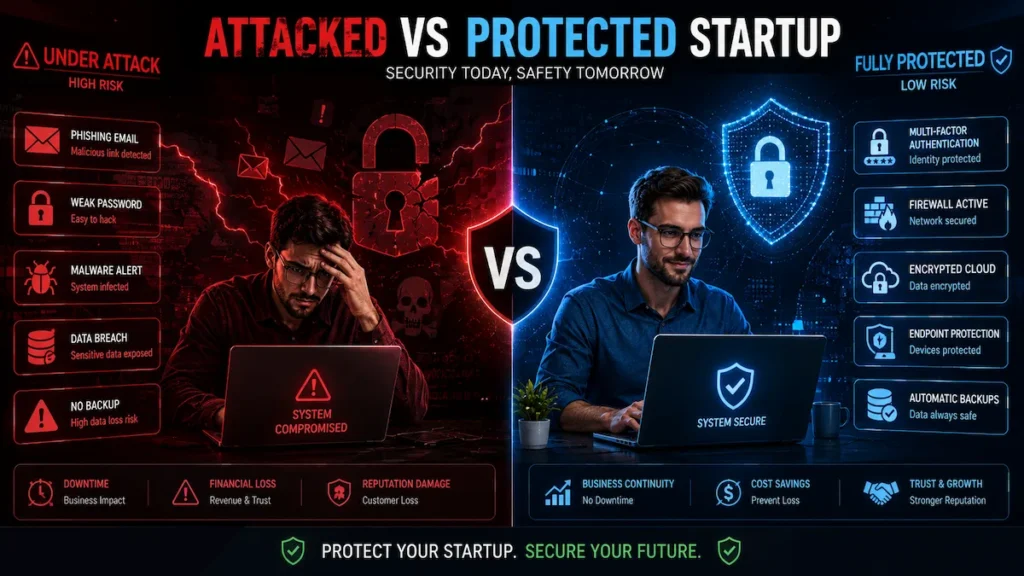
A startup cybersecurity budget of 500 per month is designed to maximize protection while maintaining financial flexibility.
This allocation model is designed for a 5-person early-stage startup. Scale headcount-based costs proportionally as you grow.
| Category | Monthly Cost | Why Prioritize First |
|---|---|---|
| Password Manager (team) | $15–30 | Stops credential reuse, the #1 breach vector |
| MFA (authenticator apps) | $0 | Blocks account takeover even if passwords leak |
| Email Security / Anti-phishing | $15–25 | Reduces phishing exposure across the whole team |
| Endpoint Detection (EDR) | $25–45 | Provides visibility into every device |
| Automated Cloud Backup | $20–50 | Protects against ransomware and data loss |
| Vulnerability Scanning | $30–60 | Identifies exposed services before attackers do |
| Log Aggregation / Monitoring | $30–60 | Creates audit trail; supports compliance |
| Cyber Insurance (amortized) | $50–100 | Transfers financial risk of breach events |
| DNS Filtering | $10–20 | Blocks malicious domains before connection |
| Total | $195–390/month |
This model leaves $110–305 in buffer within your $500 ceiling—available for compliance tooling, additional users, or one-time annual expenses like penetration testing.
Cut-order logic: If you need to operate under $250/month, prioritize in this sequence: (1) MFA + password manager, (2) email security, (3) endpoint protection, (4) backup. These four address the highest-probability threats at the lowest cost.
For a broader view of how security spending scales with headcount and revenue stage, see Startup Cybersecurity Budget: How Much to Spend.
If You Only Have $150 This Month
Even before reaching a startup cybersecurity budget of 500 per month, startups can reduce meaningful risk through low-cost controls.
Decision Box — Constrained Budget
Buy now:
- MFA (free via authenticator app)
- Business password manager (~$20–30/month for a small team)
- Email security filtering (~$15–25/month)
Delay without major risk exposure:
- SIEM / log management
- MDR services
- Compliance automation platforms
- CSPM tooling
These three tools address the highest-probability threat vectors at the lowest cost. Everything else can be layered in as budget allows.
Startup Security Spending: $500 vs $1,500 vs $5,000
A startup cybersecurity budget of 500 per month represents the practical middle ground between minimal protection and enterprise maturity.
Understanding where your budget fits in the broader range clarifies what coverage you have — and what you are intentionally deferring.
| Monthly Budget | Security Coverage | Best Fit |
|---|---|---|
| ~$150 | Identity + email essentials only | Pre-revenue, 1–3 founders |
| ~$500 | Full foundational stack (all 4 layers) | Seed-stage, 3–10 employees |
| ~$1,500 | Adds SIEM, annual pen test (amortized), formal policies | Series A, 10–25 employees |
| ~$5,000+ | Full security program, compliance automation, dedicated tooling | Series B+, enterprise sales motion |
An affordable startup security plan at $500/month is not a permanent solution — it is the right solution for your current stage. The goal is to avoid under-investing (leaving critical gaps open) and over-investing (paying for enterprise tooling a 7-person team cannot operationalize).
What Founders Usually Buy Too Early
A startup cybersecurity budget of 500 per month works best when foundational controls are completed before advanced tooling.
This is where startup cybersecurity spending most often goes wrong. Several tools are genuinely valuable — just not at the early stage.
| Tool Category | Defer If… | Why It’s Premature |
|---|---|---|
| SIEM / Log Management | Fewer than 10 employees | Requires dedicated time to tune alerts; generates more noise than actionable signals at small scale |
| CSPM | Single cloud account, limited infrastructure | Overkill until your cloud environment has enough complexity to justify continuous posture monitoring |
| Compliance Automation Platform | No written security policies yet | These tools organize evidence—they do not create security controls. Buying before the underlying controls exist wastes budget |
| MDR (Managed Detection & Response) | No internal incident response process | MDR services escalate alerts to your team. Without a defined response process, the service adds cost without improving outcomes |
| DLP (Data Loss Prevention) | No data classification system | DLP requires knowing what data you are protecting and where it lives. Without that foundation, policies generate noise and false positives |
The common thread: each of these tools requires operational infrastructure — policies, processes, or people — that most early-stage startups do not yet have. Buying them before that foundation exists tends to produce cost without proportional risk reduction.

Best Security Tool Stack for Startups Under $500
A startup cybersecurity budget of 500 per month should focus on categories of protection instead of chasing specific products.
Rather than listing specific products—which change pricing and features regularly—these are the categories your startup security budget should cover and what to evaluate in each.
Password Management: Business-tier plans with admin dashboards, policy enforcement, and shared vault controls. Several providers offer startup discounts or free tiers for teams under five.
Endpoint Detection & Response (EDR): Lightweight agents that do not require a dedicated security administrator. SMB-focused EDR tools include behavioral detection, threat isolation, and a management console designed for non-technical operators.
Email Security: Prioritize API-based integrations with Google Workspace or Microsoft 365 over MX record changes. API-based deployments configure faster, tend to produce fewer false positives, and are easier to manage without IT staff.
Cloud Backup: For SaaS environments—Google Workspace, GitHub, and Salesforce—use backup tools built specifically for SaaS platforms. They handle API connectivity and versioning automatically.
Vulnerability Scanning: Entry-level external scanners identify open ports, exposed services, and known CVEs on your public-facing infrastructure. A monthly scan provides visibility that most startups currently lack. To extend this with AI-assisted detection, see our guide to free AI cybersecurity tools for startups that can complement a paid stack at low cost.
DNS Filtering: Blocks connections to known malicious domains before they are established—reducing exposure to malware downloads and phishing redirects with near-zero performance impact.
For teams wanting to layer AI-powered detection into this stack, our guide on how to secure a startup with AI tools covers implementation without requiring dedicated security headcount.
Common Cybersecurity Mistakes Startups Make
A startup cybersecurity budget of 500 per month only works when investments follow the correct order.
Treating security as a post-launch problem. A startup that ships a customer-facing product without email filtering or MFA has exposed real user data from day one. A breach during your first 90 days can do lasting damage to customer trust and investor confidence.
Over-investing in one layer while ignoring others. Spending $300/month on an enterprise firewall while running no endpoint protection and no email filtering is a common sequencing error. Layered coverage across all four SSAF tiers tends to outperform deep investment in a single category.
Using personal accounts for business systems. Personal Gmail forwarding to business domains, personal Dropbox accounts storing customer data, personal credit cards attached to AWS. These configurations make access control difficult and compliance documentation painful when auditors ask for evidence.
No employee offboarding process. When a contractor or early employee leaves, access to tools often remains active indefinitely. A former employee with active credentials to production systems remains an ongoing risk.
Assuming the cloud provider handles security. AWS, GCP, and Azure operate on a shared responsibility model. The provider secures the underlying infrastructure. You are responsible for everything built on top — access control, data encryption, application security, and backup strategy.
No written incident response plan. A basic plan — who does what, who gets notified, which systems get isolated — can substantially reduce the cost and confusion of a breach. It requires approximately two hours to write and costs nothing in tooling.
SOC 2 Readiness on a Limited Budget
A startup cybersecurity budget of 500 per month creates a practical foundation for future compliance readiness.
SOC 2 compliance is increasingly a prerequisite for B2B SaaS sales. Enterprise buyers and healthcare clients frequently will not proceed to contract without a SOC 2 Type II report.
The controls required for SOC 2 readiness overlap substantially with basic security hygiene. A startup that has implemented the foundational four-layer model is already partially compliant.
What your $500 model already covers:
MFA across systems (access control), endpoint protection (logical access), email security filtering (risk management), automated backups (availability), and basic log retention (audit logging).
What requires additional investment:
Formal security policy documentation (write this first — it costs $0 in tooling), vendor risk management processes, annual penetration testing ($5,000–15,000), and a SOC 2 readiness audit ($10,000–30,000 depending on scope). These are annual budget items, not monthly recurring costs.
Common spending traps:
Avoid purchasing compliance automation platforms before the underlying security controls exist. Compliance tooling organizes evidence — it does not create security. A startup spending $500/month on a GRC platform while still lacking endpoint protection has the sequence backwards.
Minimum viable SOC 2 foundation:
Written security policies, enforced MFA, documented access control, basic log retention for 90+ days, and an annual vulnerability scan. That foundation is sufficient to begin a formal readiness engagement without overspending. For a step-by-step implementation sequence, our minimum viable security for a startup guide walks through the 7 critical controls in order.
Cybersecurity ROI for Startups
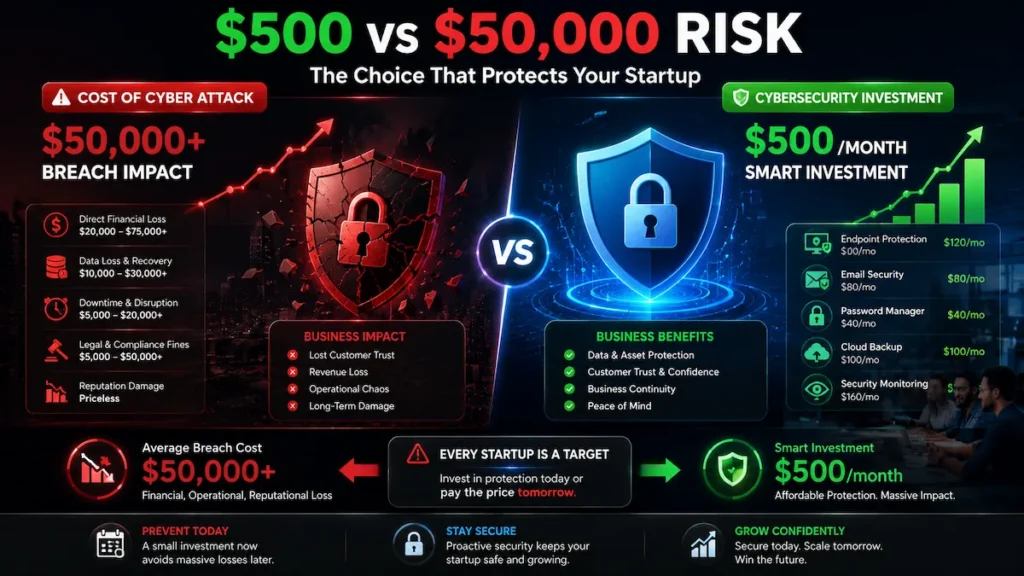
A startup cybersecurity budget of 500 per month should be evaluated as business risk reduction rather than technology spending.
Security spending is a business risk transfer decision, not an IT cost line.
Cost of breach vs. cost of prevention:
According to IBM’s Cost of a Data Breach research, small businesses face disproportionate per-record breach costs relative to their recovery capacity, and average total costs have trended upward in recent reporting periods. A $500/month security model costs $6,000/year. A single modest breach — even a credential leak requiring legal notification across multiple US states — can involve legal fees, customer communications, and remediation that meaningfully exceed that annual spend.
The NIST Cybersecurity Framework frames this directly: the cost of implementing preventive controls is consistently lower than the cost of responding to incidents those controls would have prevented.
Investor trust:
During due diligence, investors increasingly review security posture as part of technical and operational assessment. A startup with no documented controls, no MFA enforcement, and no endpoint protection can create a risk flag that delays or complicates a funding round. A documented security program signals that the team manages operational risk deliberately.
Enterprise sales:
Enterprise buyers issue security questionnaires as standard procurement practice. A startup that can confirm MFA enforcement, encryption at rest and in transit, backup procedures, and a written incident response plan tends to move through procurement cycles more smoothly. Small SaaS teams that address these controls before their first enterprise pilot may find the questionnaire process more straightforward than competitors still working through gaps under deadline. For teams building toward AI-powered monitoring as part of their long-term security infrastructure, see how AI network security monitoring for small teams can extend detection capabilities without adding headcount.
Long-term compliance cost reduction:
Startups that build security hygiene early tend to spend significantly less on remediation when pursuing SOC 2 or HIPAA compliance later. Retroactive security architecture is consistently more expensive than building it correctly at the start.
Final Startup Security Checklist ($500 Model)
A startup cybersecurity budget of 500 per month becomes effective when implemented sequentially and consistently.
Use this as your sequential implementation checklist. Each item maps to a specific threat vector.
Identity & Access
- MFA enforced on all cloud platforms, SaaS tools, and admin accounts
- Business password manager deployed for all team members
- Unique credentials enforced per system — no shared passwords
- Quarterly access review; unused accounts revoked promptly
Endpoint Security
- EDR agent deployed on all company and BYOD devices
- OS and application auto-updates enabled on all endpoints
- MDM in place if company mobile devices are in use
Email & Phishing Protection
- Advanced email security filtering active on company domain
- DMARC, DKIM, and SPF records correctly configured
- Annual phishing simulation completed for all team members
Data Backup & Recovery
- Automated daily backups running for all critical business data
- Backup restoration tested at least quarterly
- Offsite or immutable backup copy confirmed
Vulnerability & Monitoring
- Monthly external vulnerability scan scheduled
- DNS filtering enabled
- Basic log retention active (90+ days minimum)
- Cloud audit logging enabled (CloudTrail, GCP Audit Logs, etc.)
Incident Response
- Written incident response plan documented and shared with team
- Breach notification obligations understood for your state and sector
- Cyber insurance policy active with coverage terms reviewed
Compliance Foundation
- Written security policy document in place
- Third-party and vendor access documented and reviewed periodically
- Employee offboarding checklist enforced on every departure
For a detailed implementation walkthrough with controls mapped to compliance requirements, see the full cybersecurity checklist for startups.
FAQ
How much should a startup spend on cybersecurity per month?
A startup cybersecurity budget of 500 per month is sufficient for many early-stage teams. For early-stage startups with 1–10 employees, a startup cybersecurity budget under $500/month is sufficient to address the primary threat vectors. Pre-revenue teams can maintain a defensible posture for $100–150/month by prioritizing MFA, a password manager, email filtering, and automated backups. As you add employees and customer data, cybersecurity spending should scale to $300–500/month to maintain coverage across all four SSAF tiers.
Can a startup get SOC 2 compliant on a small budget?
A startup cybersecurity budget of 500 per month supports many foundational compliance controls. SOC 2 readiness requires both technical controls and policy documentation. The technical controls — MFA, access logging, endpoint protection, encryption — are achievable within a $500 monthly security budget. Additional costs come from the formal audit ($10,000–30,000 for Type II) and annual penetration testing. Startups can begin preparation immediately by implementing baseline controls and documenting policies, then engaging an auditor when enterprise sales require it.
What are the most important cybersecurity tools for a startup?
Prioritize in this order: (1) MFA and password manager—addresses credential compromise, the most common breach entry point; (2) email security—reduces phishing exposure across the team; (3) endpoint protection—provides device visibility; and (4) automated backup—protects against ransomware and accidental data loss. Vulnerability scanning, SIEM, and DNS filtering add meaningful value but should come after these four are operational.
What is the biggest cybersecurity risk for startups?
Credential compromise through phishing or password reuse is consistently among the highest-probability risks at the startup stage. A single employee clicking a phishing link or reusing a personal password on a business system can expose your entire cloud environment. MFA and email security filtering directly reduce this exposure at a cost most startups can absorb immediately.
Do startups need cyber insurance?
A startup cybersecurity budget of 500 per month can include cyber insurance as a risk transfer layer. Yes. Even a minor incident—a misconfigured database exposing customer email addresses—can trigger legal notification costs, regulatory inquiries, and customer communications that run $10,000–50,000 before remediation begins. Startup-tier policies can sometimes fall within the $50–100/month range depending on coverage, sector, and claims history. That represents a reasonable risk transfer at most revenue stages.
How do I build a security budget with no technical background?
Start with SSAF Tier 1: identity (MFA + password manager), email filtering, and DNS filtering. Then add Tier 2 (endpoint protection) and Tier 3 (backup, incident response plan). Most tools in these categories are designed to be self-managed without IT staff. Our guide on cybersecurity for startups with no IT team covers the practical steps for non-technical founders specifically.
What cybersecurity risks increase as a startup scales?
A startup cybersecurity budget of 500 per month should evolve as headcount, infrastructure, and customer data expand. As you grow, the attack surface expands in three ways: more employee accounts to compromise, more third-party integrations with access to your data, and more customer data worth targeting. Scaling from 5 to 25 employees typically introduces the need for a SIEM, formal access control policies, a vendor risk management process, and annual penetration testing. At that stage, evaluating machine learning-based intrusion detection as a cost-effective alternative to traditional SIEM is worth exploring.