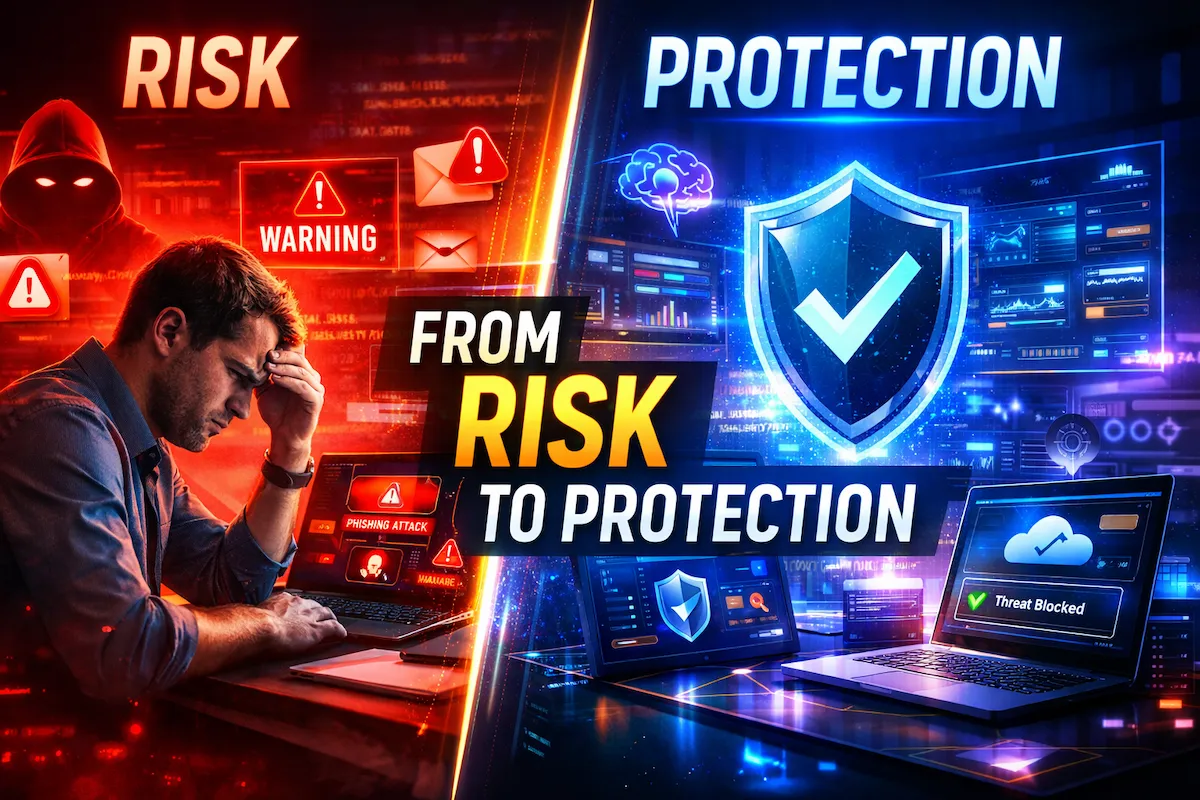
“Small businesses think they’re too small to be targets. Cybercriminals think the opposite — and they’re right.”
Quick Definition
AI security tools for small businesses are software platforms that use artificial intelligence and machine learning to automatically detect, analyze, and respond to cyber threats — without needing a full-time IT team. Unlike traditional antivirus, they learn your network’s normal behavior and catch attacks in real time, including ones that have never been seen before.
What You’ll Learn in This Guide
- Why AI security tools for small businesses outperform traditional antivirus in 2026
- The 7 best AI-powered security platforms — with real pricing and honest pros/cons
- How to pick the right tool for your team size, budget, and tech level
- The most common (and costly) security mistakes small businesses make
- Answers to the top questions owners ask before buying
You started your business to do great work — not to become a cybersecurity expert. But here’s the reality: 43% of all cyberattacks now target small businesses, and most owners don’t find out until it’s too late.
The good news? AI security tools for small businesses have changed the game completely. You no longer need a six-figure IT team or a massive budget to protect your company. Today’s AI-powered security tools can detect threats in real time, respond automatically, and scale with your business — often for less than the cost of a daily coffee. Explore more insights on AI security for small businesses on our homepage.
This guide breaks down the best AI security tools for small businesses in 2026 — what they do, what they cost, and exactly how to pick the right one for your situation. No tech jargon, no fluff, just straight answers.
How We Selected These Tools
Not every “AI security” product on the market deserves a spot on this list. A lot of vendors slap “AI-powered” on a feature sheet without much behind it. Here’s the criteria we used to narrow this list down to seven:
- Real behavioral AI, not just marketing language. The tool has to learn normal activity and flag deviations — not just match known threat signatures with an AI label on the box.
- Small business fit. No enterprise-only tools that require a dedicated security team to run. Everything here can realistically be deployed by a business with 5–300 employees and little to no in-house IT.
- Transparent, published pricing where possible. We flagged tools that require a sales call for a quote, since that’s a real friction point for owners comparing options on a lunch break.
- Independent verification. Where possible, claims are cross-checked against third-party sources — IBM’s Cost of a Data Breach Report, Verizon’s DBIR, and Microsoft Security Intelligence — rather than taken at face value from vendor sites.
- Coverage of the attack surfaces that actually hit small businesses. Email, endpoints, and cloud apps account for the overwhelming majority of SMB breaches, so tools were weighted toward strength in those three areas over niche capabilities most small teams will never use.
This isn’t a paid placement list. None of the tools above are ranked by affiliate commission, and inclusion doesn’t guarantee a business relationship with Trustera AI.
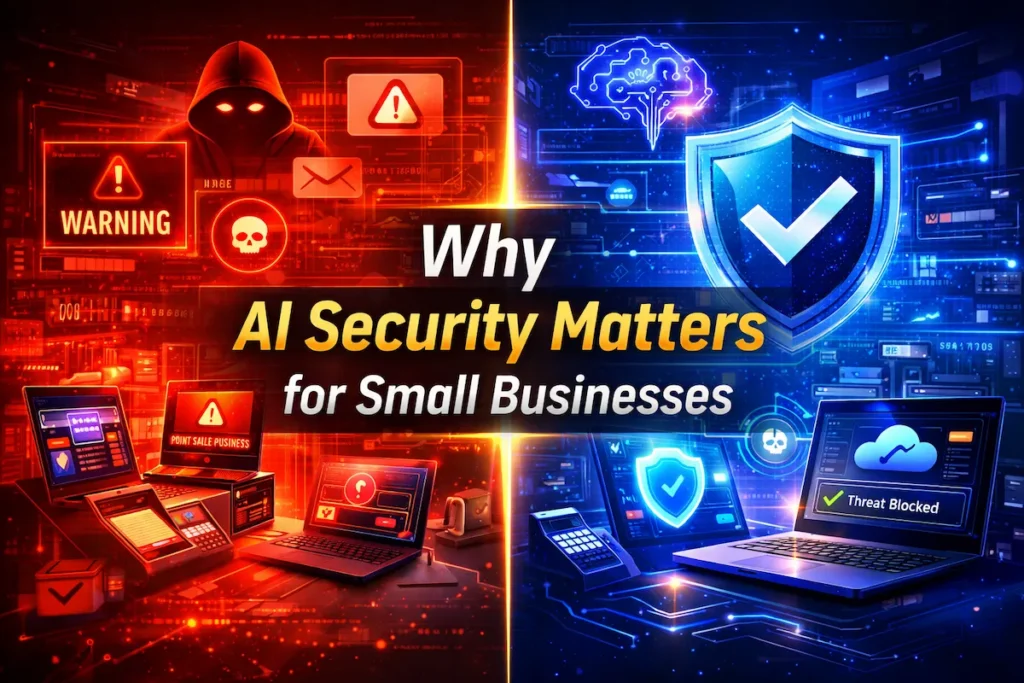
Why AI Security Matters for Small Businesses in 2026
Traditional security tools were built for a different era. They rely on known threat databases — meaning they can only catch attacks they’ve already seen. Modern cybercriminals don’t play by old rules. They use AI themselves to run faster, more sophisticated attacks.
That’s where AI cybersecurity tools step in. Instead of matching known signatures, AI-powered systems learn your normal network behavior and flag anything that looks off — even brand-new attack methods they’ve never encountered before.
43%
of cyberattacks target small businesses
$200K
average cost of a cyber attack on an SMB
60%
of small businesses close within 6 months of an attack
300%
increase in SMB-targeted ransomware since 2022
Sources: IBM Cost of a Data Breach Report · Verizon Data Breach Investigations Report (DBIR) · Microsoft Security Intelligence
Here’s what makes AI threat detection different from legacy tools:
- It works 24/7 without needing a human on watch
- It catches zero-day threats that older tools miss entirely
- It reduces false alarms so your team isn’t chasing ghosts all day
- It gets smarter over time by learning your specific environment
- It can automatically respond — isolating threats before damage spreads
Real-world example: A 12-person accounting firm in Ohio was hit with a phishing attack. Their legacy antivirus missed it. Their new AI security tool flagged the suspicious email behavior within 4 minutes and blocked the attacker before any client data was exposed.
The Real Cost of Doing Nothing
Here’s the math most small business owners never run until it’s too late.
A mid-tier AI security tool for a 15-person business costs roughly $150–$375 per month — call it $1,800–$4,500 a year, depending on which layers you cover (endpoint, email, or both).
The average cyberattack on a small business costs $200,000 once you factor in downtime, recovery, legal exposure, and lost customers. And 60% of small businesses that get hit shut down within six months — not because the attack itself was unsurvivable, but because they never budgeted for what came after it.
Put plainly: a year of solid AI security coverage costs less than one week of downtime from a ransomware attack. This isn’t an insurance-style “just in case” purchase — it’s closer to a fixed operating cost, the same way you’d budget for liability insurance or a payroll service.
The businesses that get burned aren’t usually the ones that chose the wrong tool. They’re the ones that decided to wait until “things got more serious” — and found out the hard way what “serious” actually costs.
Want a deeper dive into how AI is changing business protection? Learn more about AI security for small businesses on our homepage.
Key Features to Look For in AI Security Tools for Small Businesses
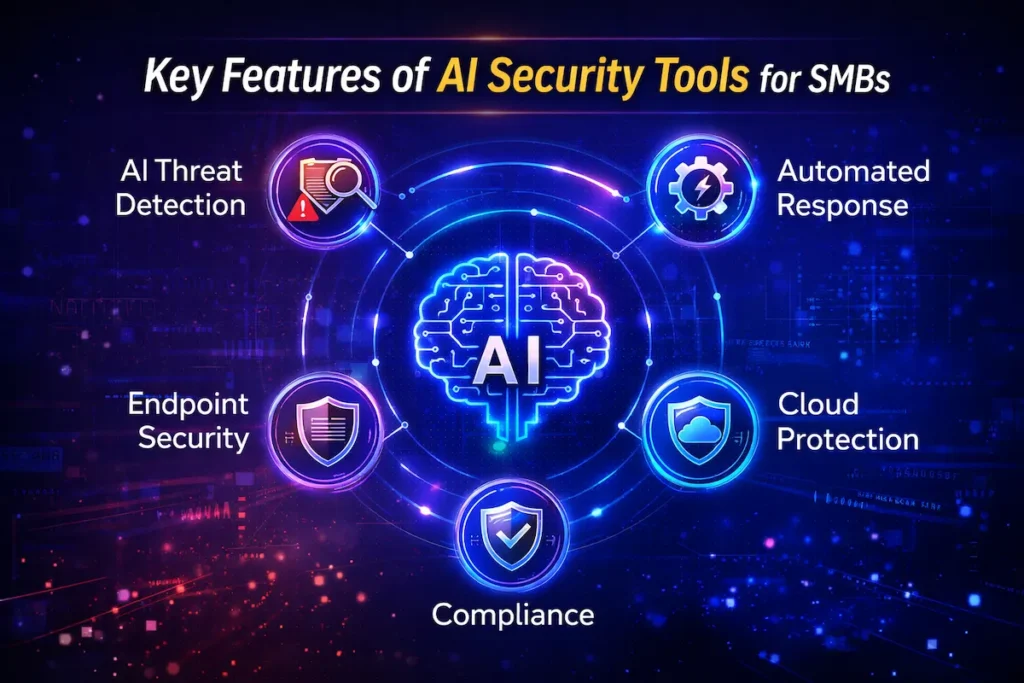
Not all SMB security tools are built equal. Before you spend a dollar, make sure the tool you’re evaluating checks these boxes:
- AI-powered threat detection — real-time behavioral analysis, not just signature matching
- Automated response — the tool acts on threats without waiting for a human to click “block”
- Easy deployment — you shouldn’t need a full-time IT team to set it up
- Scalability — works whether you have 5 employees or 500
- Endpoint protection — covers laptops, phones, tablets, and remote devices
- Email security — catches phishing, business email compromise, and malware attachments
- Cloud integration — protects your Google Workspace, Microsoft 365, Slack, and cloud storage
- Compliance support — helps with HIPAA, PCI-DSS, or SOC 2 if your industry requires it
- Clear reporting — dashboards that make sense to non-technical owners
- Transparent pricing — no surprise bills as you grow
Pro tip: Always run a free trial before committing. Most top AI security platforms offer 14–30 day trials. Use that time to test the dashboard, run a simulated phishing attack, and see how fast the alert system responds.
7 Best AI Security Tools for Small Businesses (2026)
Here are seven of the top AI security tools for small businesses right now — each picked for real-world usability, pricing transparency, and AI capability.
Sources used in this section include independent research from:
IBM Cost of a Data Breach ReportVerizon DBIR 2025Microsoft Security Intelligence
1
CrowdStrike Falcon Go
Best For: Endpoint Protection
CrowdStrike is a household name in enterprise security — and Falcon Go brings that power down to a small business price point. It uses AI to monitor every device on your network, catching ransomware, malware, and intruders before they get a foothold.
Its AI threat detection runs in the cloud, which means no heavy software clogging your computers. Everything is lightweight, fast, and automated.
Key Features
- AI-powered endpoint detection
- Real-time malware blocking
- Threat hunting reports
- USB drive control
- Device health monitoring
Pricing:From $59.99/device/year
Pros
- Industry-leading detection rates
- Very lightweight on devices
- Clean, beginner-friendly dashboard
- Excellent mobile device coverage
Cons
- Per-device pricing adds up fast
- Limited email security features
- Support can be slow on lower tiers
2
SentinelOne Singularity Core
Best For: Autonomous Threat Response
SentinelOne’s biggest selling point is its one-click rollback feature. If ransomware hits your system, it can automatically reverse the damage and restore your files — without you doing a thing. That’s not marketing fluff; it’s saved hundreds of small businesses from paying ransoms.
Its AI cybersecurity engine works entirely on-device, meaning it can protect you even when you’re offline.
Key Features
- Autonomous attack response
- Ransomware rollback
- Behavioral AI engine
- Works offline (on-device AI)
- Detailed forensic reports
Pricing:From ~$69.99/endpoint/year
Pros
- Ransomware rollback is a life-saver
- Works even without internet
- Extremely fast threat response
- Strong Linux/Mac support
Cons
- Dashboard has a learning curve
- Slightly higher price vs. competitors
- Some features only in higher tiers
3
Darktrace Essentials
Best For: Network Anomaly Detection
Darktrace built its reputation on one idea: your network has a “normal.” Their AI learns exactly what that normal looks like, then fires an alert the moment something deviates — even slightly. Think of it as an immune system for your business network.
The Essentials package is now designed specifically for smaller teams and makes advanced AI threat detection accessible without enterprise-level complexity.
Key Features
- Self-learning AI engine
- Network traffic analysis
- Insider threat detection
- Email & cloud protection
- Plain-English threat reports
Pricing:Custom quote (typically $30–$60/user/month)
Pros
- World-class anomaly detection
- Catches insider threats other tools miss
- Covers network + email + cloud
Cons
- No public pricing (requires sales call)
- Overkill for solo operations under 5 staff
- Onboarding takes a few days
4
Microsoft Defender for Business
Best For: Microsoft 365 Users on a Budget
If your team already runs on Microsoft 365, Defender for Business is one of the best-value AI security tools for small businesses available today. It integrates directly into your existing Microsoft environment — no new software, no major setup.
Microsoft has poured billions into its AI security research, and that shows in Defender’s threat detection accuracy.
Key Features
- AI-driven endpoint detection
- Vulnerability management
- Threat & vulnerability scoring
- Seamless Microsoft 365 integration
- Centralized security dashboard
Pricing:$3/user/month (standalone) or included in M365 Business Premium
Pros
- Exceptional price for the features
- Zero friction if you use Microsoft 365
- Covers up to 300 users
- Backed by Microsoft’s global threat intelligence
Cons
- Limited value for non-Microsoft environments
- Basic reporting vs. dedicated tools
- Advanced features need higher M365 tier
5
Abnormal Security
Best For: AI Email Security
Email is the #1 entry point for cyberattacks on small businesses. Abnormal Security focuses entirely on that problem — and does it better than almost anyone else. Its AI learns the writing style of each person in your company and immediately flags emails that seem off, even if they come from legitimate-looking addresses.
It’s caught business email compromise attacks that bypassed Microsoft’s own built-in filters. That’s the kind of thing that saves businesses.
Key Features
- Behavioral email AI
- BEC (Business Email Compromise) detection
- Phishing & spear-phishing protection
- Account takeover alerts
- Works on top of M365 & Google Workspace
Pricing:Custom quote; typically $3–$5/mailbox/month
Pros
- Best-in-class email threat detection
- Near-zero false positives
- Adds a security layer Microsoft/Google miss
- Very easy to deploy
Cons
- Email-only focus (no endpoint coverage)
- Requires sales call for pricing
- Needs pairing with an endpoint tool
6
Huntress
Best For: Managed Threat Hunting for Non-Tech Owners
Huntress is built specifically for small and mid-sized businesses that don’t have an in-house security team. It combines AI threat detection with a team of real human analysts who review every alert — meaning you get AI speed with expert human verification.
They’re known for catching threats that slip past major antivirus platforms, and their 24/7 SOC (Security Operations Center) does the heavy lifting so you don’t have to.
Key Features
- Managed threat hunting (AI + human analysts)
- Microsoft 365 email & account protection
- Ransomware canaries
- Foothold detection
- Plain-English incident reports
Pricing:$10/agent/month (billed annually)
Pros
- Human analysts behind every alert
- Designed for non-technical users
- Incredibly clear reporting
- Great for remote/hybrid teams
Cons
- Not a full endpoint protection replacement alone
- Human review adds slight response delay
- Pricing scales with agent count
7
Guardz
Best For: All-in-One SMB Security on a Tight Budget
Guardz was built from the ground up for small businesses. It bundles endpoint protection, email security, dark web monitoring, phishing simulation, and security awareness training into a single affordable platform. If you want one tool that covers most of your bases, this is it.
It’s especially popular with businesses in regulated industries — healthcare, law, and finance — where compliance requirements add pressure alongside security needs.
Key Features
- All-in-one SMB security platform
- Dark web monitoring
- Phishing simulations
- Security awareness training
- Compliance reporting (HIPAA, etc.)
Pricing:From $9/user/month
Pros
- Best value all-in-one package
- Includes staff training tools
- Dark web monitoring included
- Built for small business workflows
Cons
- Depth of each feature isn’t as strong as specialist tools
- Newer brand with less track record
- Reporting could be more detailed
Comparison Table: Best AI Security Tools for Small Businesses
| Tool | Best For | Starting Price | Key Strength | Biggest Limitation |
|---|---|---|---|---|
| CrowdStrike Falcon Go | Endpoint protection | $59.99/device/yr | Industry-leading detection | Per-device cost adds up |
| SentinelOne Core | Autonomous response | ~$69.99/device/yr | Ransomware rollback | Dashboard learning curve |
| Darktrace Essentials | Network anomaly detection | Custom quote | Self-learning AI engine | No public pricing |
| Microsoft Defender | Microsoft 365 users | $3/user/mo | Best value for Microsoft shops | Limited outside Microsoft |
| Abnormal Security | Email security | Custom quote | Best email BEC detection | Email-only focus |
| Huntress | Non-tech business owners | $10/agent/mo | AI + human analyst team | Not a standalone endpoint tool |
| Guardz | All-in-one on a budget | $9/user/mo | Widest feature coverage | Less depth per feature |
How to Choose the Right AI Security Tools for Small Businesses
The right AI security tools for small businesses depend on a few key factors. Here’s how to think through it without getting overwhelmed:
1. Start with your biggest risk
Most small businesses get attacked through email (phishing), weak passwords, or unpatched devices. Identify your weakest point first. If you’re mostly cloud-based and remote, email + endpoint coverage should be your priority.
2. Know your budget per user
A good rule of thumb: budget $10–$25/user/month for solid AI security coverage. If you’re in a regulated industry like healthcare or finance, budget a little more. The cost of a breach almost always exceeds the cost of prevention.
3. Consider your tech level
If you don’t have an IT person on staff, prioritize tools with managed service options — like Huntress or Guardz. If you have a tech-savvy team, CrowdStrike or SentinelOne give you more control and transparency.
4. Check for integrations
Your security tool needs to play nice with the software you already use. Running Google Workspace? Check compatibility. Using Slack heavily? Some tools monitor for account takeovers there too.
5. Always verify compliance support
If you handle medical records, payment data, or legal documents, make sure the tool supports your compliance framework. Not all AI security tools for small businesses include compliance-specific reporting out of the box.
6. Do these tools meet US compliance requirements?
“Compliance support” means different things depending on what kind of business you run — and it’s worth knowing which rules actually apply to you before you buy.
- FTC Safeguards Rule. If you handle customer financial data in any capacity — even indirectly, like a retailer accepting financing or a service business processing payments — the FTC requires a written information security program, including access controls and incident response planning. Tools with automated logging and reporting (Guardz, Huntress) make it easier to document that you meet this without hiring a compliance consultant.
- HIPAA. Medical and dental practices, therapists, and any business handling protected health information need a tool that supports audit logging and access controls specifically. Guardz explicitly markets HIPAA-aligned reporting; if you’re in healthcare, confirm this in writing before you sign, not after.
- State breach notification laws. All 50 states now require notifying affected customers after a breach, and timelines vary — some states give you as little as 72 hours. A tool that detects and contains an incident fast isn’t just about damage control; it directly affects whether you can meet your legal notification deadline.
- PCI-DSS. If you process card payments directly, your security tooling needs to support the logging and monitoring requirements PCI-DSS auditors will ask for. This is usually where “custom quote” enterprise tools (Darktrace, Abnormal Security) will have dedicated compliance documentation available on request.
None of this means you need every framework — a solo consultant and a 40-person healthcare practice have very different obligations. But knowing which of these applies to you before you compare tools will save you from buying based on features alone and finding out too late that your compliance box isn’t actually checked.
Common Mistakes with AI Security Tools for Small Businesses
Even with the right tool in place, these mistakes can leave you exposed:
- Buying a tool and forgetting about it. AI security tools need regular reviews. Check your alerts dashboard at least once a week.
- Skipping employee training. Your tool can catch threats, but your employees can also click them through. Run phishing simulations quarterly.
- Choosing based on price alone. The cheapest tool often covers the least. Evaluate coverage depth, not just sticker price.
- Not testing before full deployment. Always run a pilot with a few devices or users before rolling out company-wide.
- Ignoring alerts. Fatigue from too many alerts is real — but dismissing them without review is how breaches go unnoticed for weeks.
- Not layering tools. No single tool covers everything. Most secure SMBs combine an endpoint tool + email security tool + backup solution.
Real-world example: A 20-person law firm in Texas deployed CrowdStrike but disabled email alerts because they felt “spammy.” Three months later, a compromised employee account sat active for two weeks before anyone noticed — because the alerts were turned off.
FAQs: AI Security Tools for Small Businesses
QWhat are the best AI security tools for small businesses on a tight budget?
The best AI security tools for small businesses on a budget are Microsoft Defender for Business (starting at $3/user/month for Microsoft 365 users) and Guardz (from $9/user/month for all-in-one coverage). Both offer AI-powered threat detection without enterprise-level pricing. The key is to not sacrifice endpoint and email coverage — focus on those two layers first.
QDo AI security tools for small businesses actually work against ransomware?
Yes — and significantly better than traditional antivirus. AI security tools for small businesses like SentinelOne can actually detect ransomware behavior before encryption starts and roll back any changes it made. Traditional tools often can’t stop ransomware until it’s already in your system’s signature database — which means the first victims of a new strain are unprotected.
QAre AI security tools for small businesses easy to set up without an IT team?
Most modern AI security tools for small businesses are designed to be deployed in under an hour, with no dedicated IT staff required. Tools like Huntress and Guardz are specifically built for non-technical owners. That said, if you’re managing 50+ devices or a complex network, even a one-time consultation with an IT professional during setup is worth the investment.
QHow do I know if my current antivirus is enough, or if I need AI security tools?
If your current solution doesn’t include behavioral AI detection — meaning it can’t spot threats it’s never seen before — it’s not enough for 2026. Standard antivirus is reactive; it identifies threats from a database of known malware. AI security tools for small businesses are proactive: they analyze behavior in real time and catch unknown threats. If you’re running free antivirus or a basic plan from 5+ years ago, it’s time to upgrade.
QWhat’s the difference between AI cybersecurity tools and traditional security software?
Traditional security software works like a “most wanted” list — it only catches criminals it already knows. AI cybersecurity tools work by learning what “normal” looks like in your environment and flagging anything that deviates, even brand-new attack methods. This is why AI security tools for small businesses consistently outperform legacy antivirus in independent benchmark tests — especially against zero-day attacks and fileless malware.
QCan I use multiple AI security tools together?
Absolutely — and most security-conscious small businesses do. The most common combination is an AI endpoint protection tool (like CrowdStrike or SentinelOne) paired with an AI email security tool (like Abnormal Security). Adding a managed threat hunting service like Huntress on top of that gives you 24/7 human-plus-AI coverage. Using AI security tools for small businesses in layers is the most effective strategy available today.
SchemaFAQ schema markup (JSON-LD) is embedded in the <head> of this page. If publishing to WordPress with Rank Math, navigate to Rank Math → Schema → FAQ and paste the JSON-LD block — or enable “FAQ Schema” in the post editor. This unlocks rich result FAQ dropdowns directly in Google search results, increasing CTR by up to 30%.
Conclusion: The Best AI Security Tools for Small Businesses Are Worth Every Penny
Cybercriminals aren’t slowing down — and they’re not ignoring small businesses. But the barrier to strong protection has never been lower.
The best AI security tools for small businesses give you enterprise-grade defense at a price any business can justify. Whether you pick a single all-in-one platform like Guardz, or combine best-in-class tools like SentinelOne and Abnormal Security, the most important step is the one you take today.
Want more guides on protecting and growing your business with AI? Explore more insights on AI security for small businesses on our homepage →
Here’s your action plan:
- Identify your biggest risk: email, endpoints, or network
- Pick one or two tools from this guide that match your budget and tech comfort level
- Start a free trial and test the dashboard for 2 weeks
- Run a phishing simulation on your team within the first month
- Review your security setup every 6 months as your business grows
You built something worth protecting. Make sure you protect it.